
WooCommerce Live Rates
Connect your WooCommerce store to show live shipping rates at checkout.
Setup
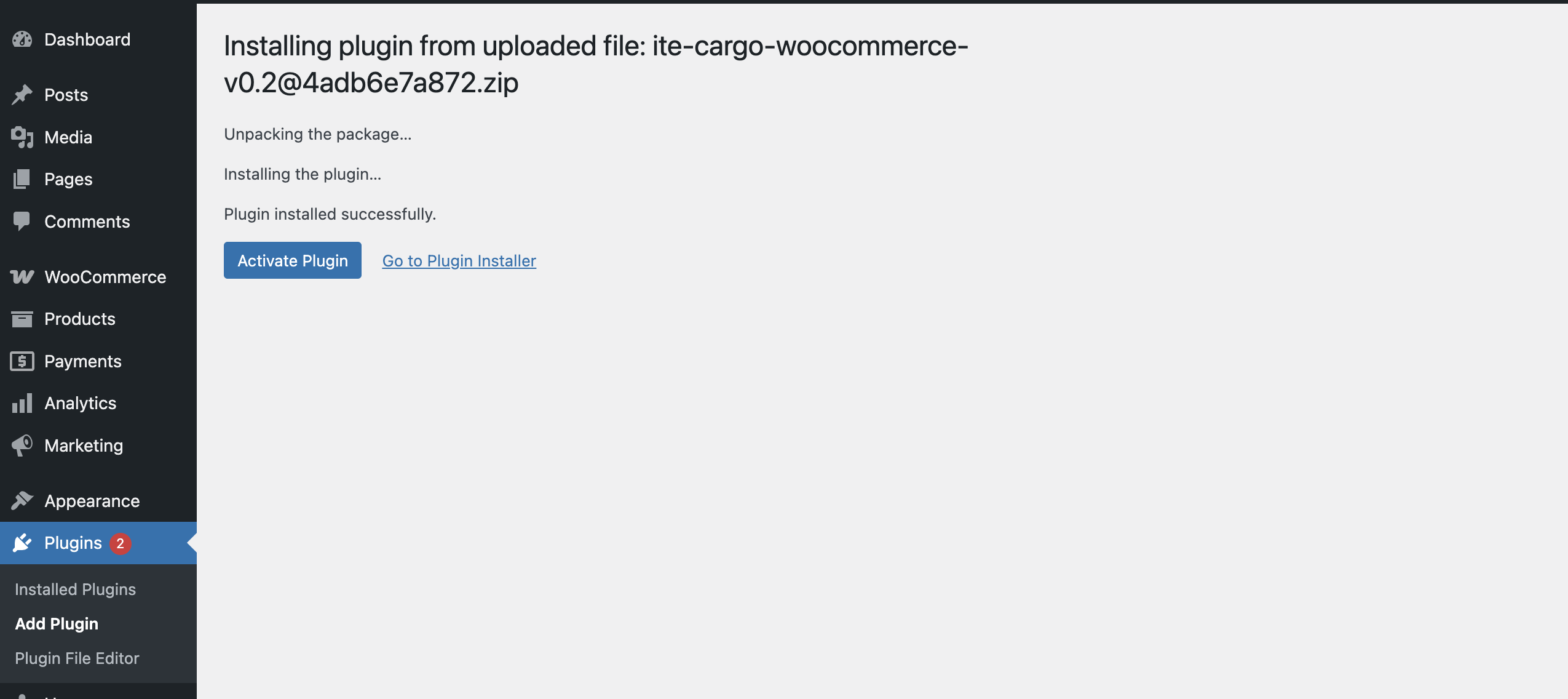
Install the Plugin
After downloading the plugin, go to your Wordpress dashboard → Plugins → Add New → Upload in WordPress and activate the ZIP.
Add to Shipping Zone
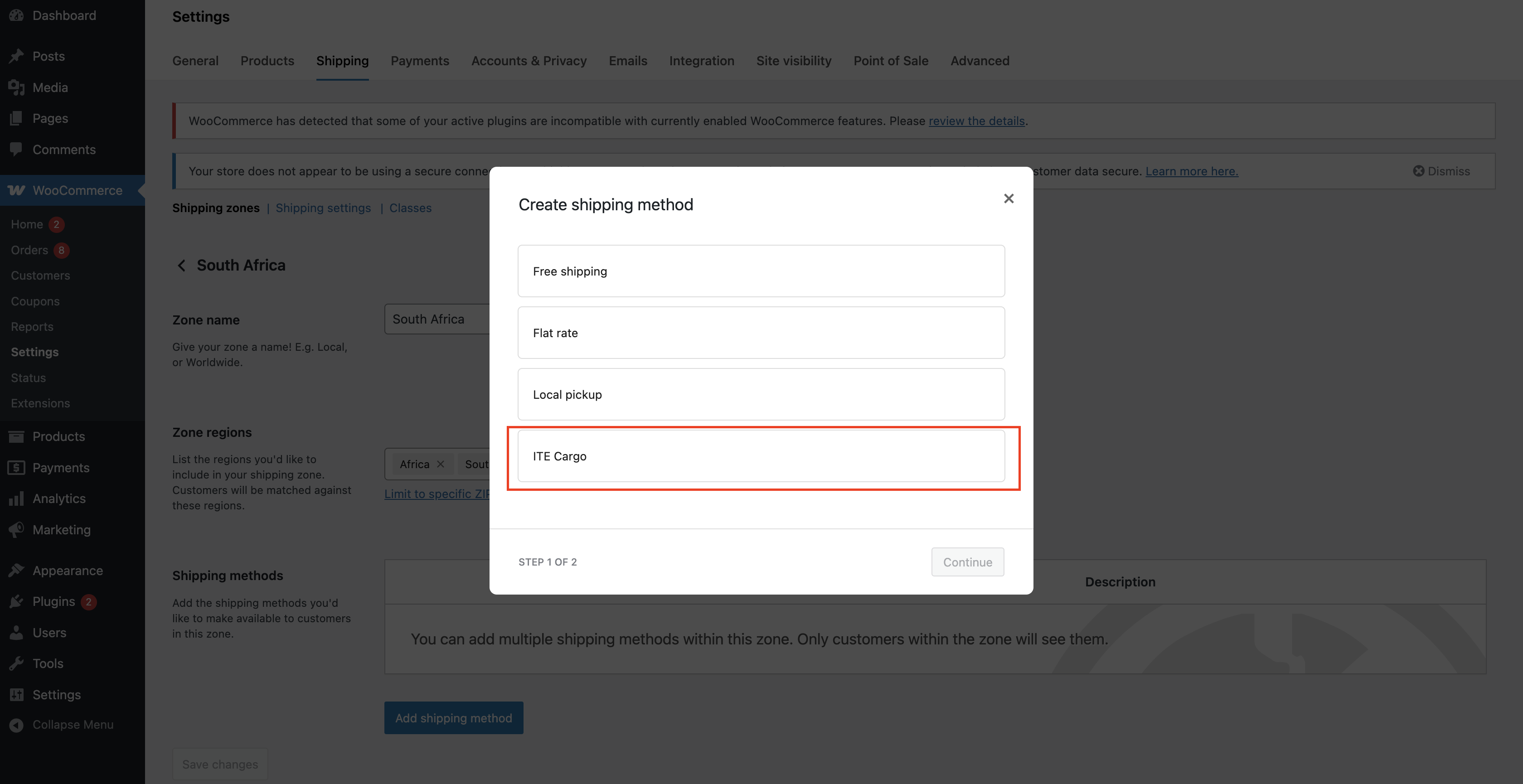
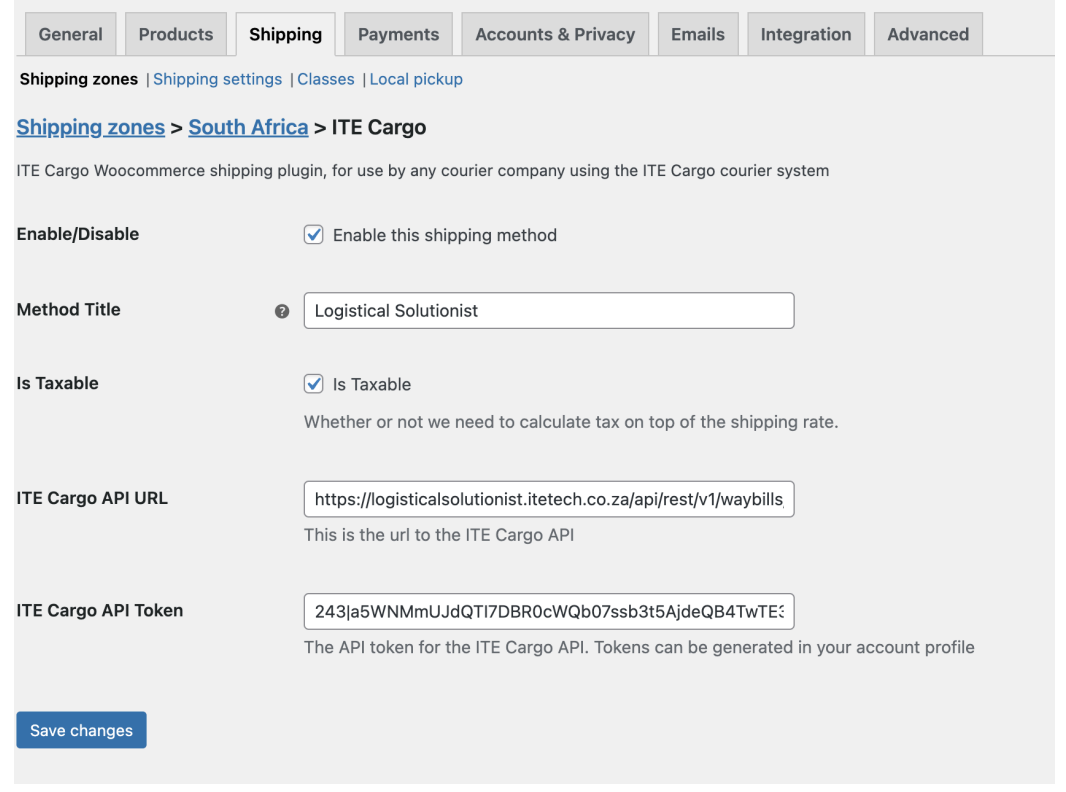
Go to WooCommerce → Settings → Shipping → Shipping Zones and add ITE Cargo.
Open Method Settings
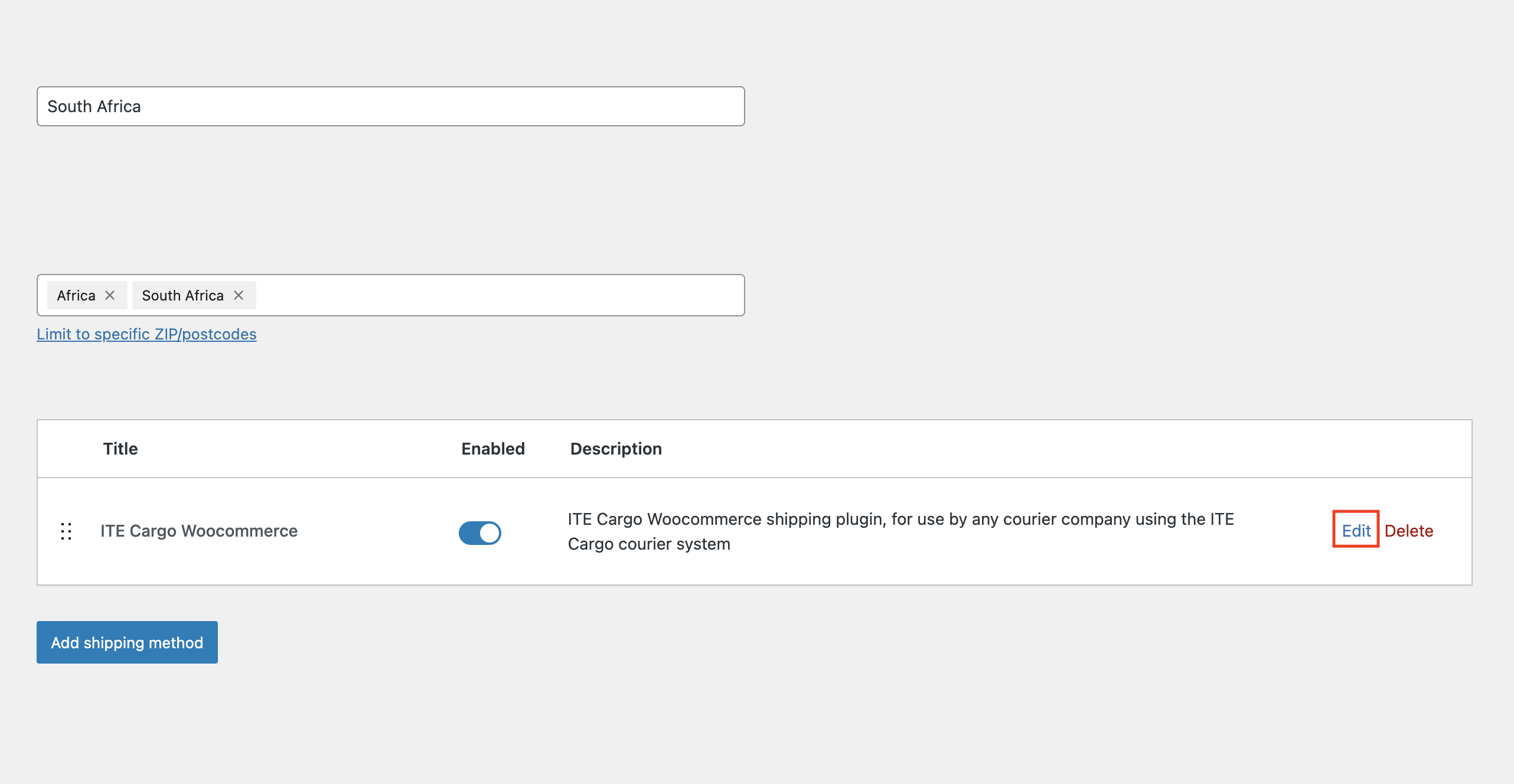
Click the blue Edit link next to the method to open its settings page.
Generate the ITE Cargo API Token
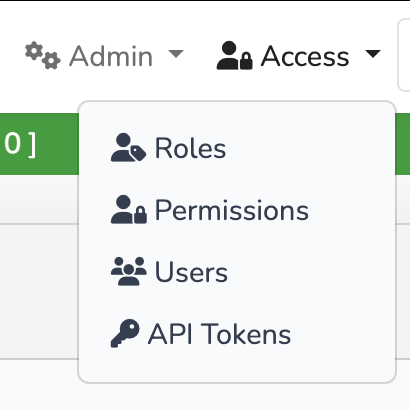
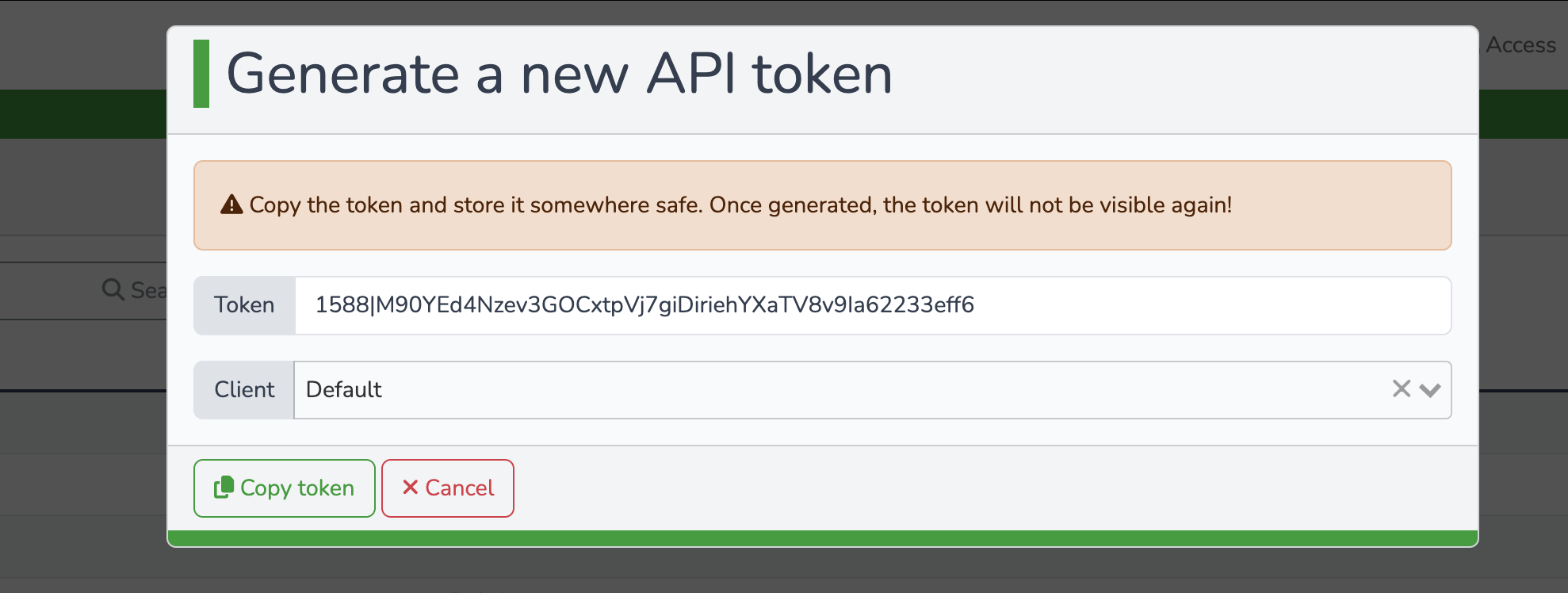
From the admin dashboard, click Access → API Tokens. Click Generate Token, enter the site name and any other required information, then click Generate token. Copy the token immediately.
Enter Your Credentials
Copy the API endpoint URL below and paste it into the plugin settings.
Paste the ITE Cargo API Token into the plugin settings to retrieve rates.
Test Checkout
Add a product to cart and run a test checkout to confirm your live shipping rate appears correctly before going live.
Need help setting it up?
Our team can assist with configuration, testing, and go-live checks.
Talk to Support